NERIS Auto-Export from Your Fire ePCR, Minus the PHI
How NERIS auto-export from a fire ePCR works: Mobile Medic sends eligible medical runs to NERIS and strips patient details first, so officers stop retyping.
NERIS auto-export from your fire ePCR means the medical run your crew already charted becomes the fire incident report, without anyone retyping it. In Mobile Medic, once a medical chart is finished, the system checks whether the run qualifies, strips the patient details out, and sends the operational record to NERIS. The patient chart stays where it belongs, and the officer gets to go to bed.
That matters because medical calls are most of what a fire department does. In the U.S. Fire Administration's 2020 run profile, nearly two-thirds (64%) of reported calls required EMS and rescue services. Every one of those runs that has to be charted twice is time an officer doesn't get back.
Why does double entry wear out company officers?
Picture the 0300 cardiac arrest. You clear the call, clean the rig, and head back to quarters. Your medic is still working on the narrative, the 12-lead, and the drug doses for the state EMS export.
Then the chart's done, and somebody still has to open a separate fire reporting tool. Dispatch time, arrival time, apparatus, crew, incident type: all of it typed in again. It's the same call, and you're doing the paperwork for it twice.
Double entry also leaves you with two timelines. When times get keyed in by hand in two places, they rarely match, and now the state EMS office and the fire data people are looking at different versions of the same run. (If clock drift between CAD and the chart is already a headache, our post on CAD reconciliation audits goes deeper.)
The bigger worry is privacy. A tired officer copies a chunk of the patient narrative into the fire report to save time. Fire incident data isn't built to hold patient health information, and that one paste can turn into a real privacy problem for your department.
How does Mobile Medic connect to NERIS?
NERIS was designed for software to connect to it directly, instead of the old routine of building files and uploading them through a web portal. Mobile Medic takes that route.
A department administrator links the agency's official NERIS ID once, using the department's own NERIS sign-in credentials. Mobile Medic handles the secure sign-in steps from there, including the extra verification code step when NERIS asks for one.
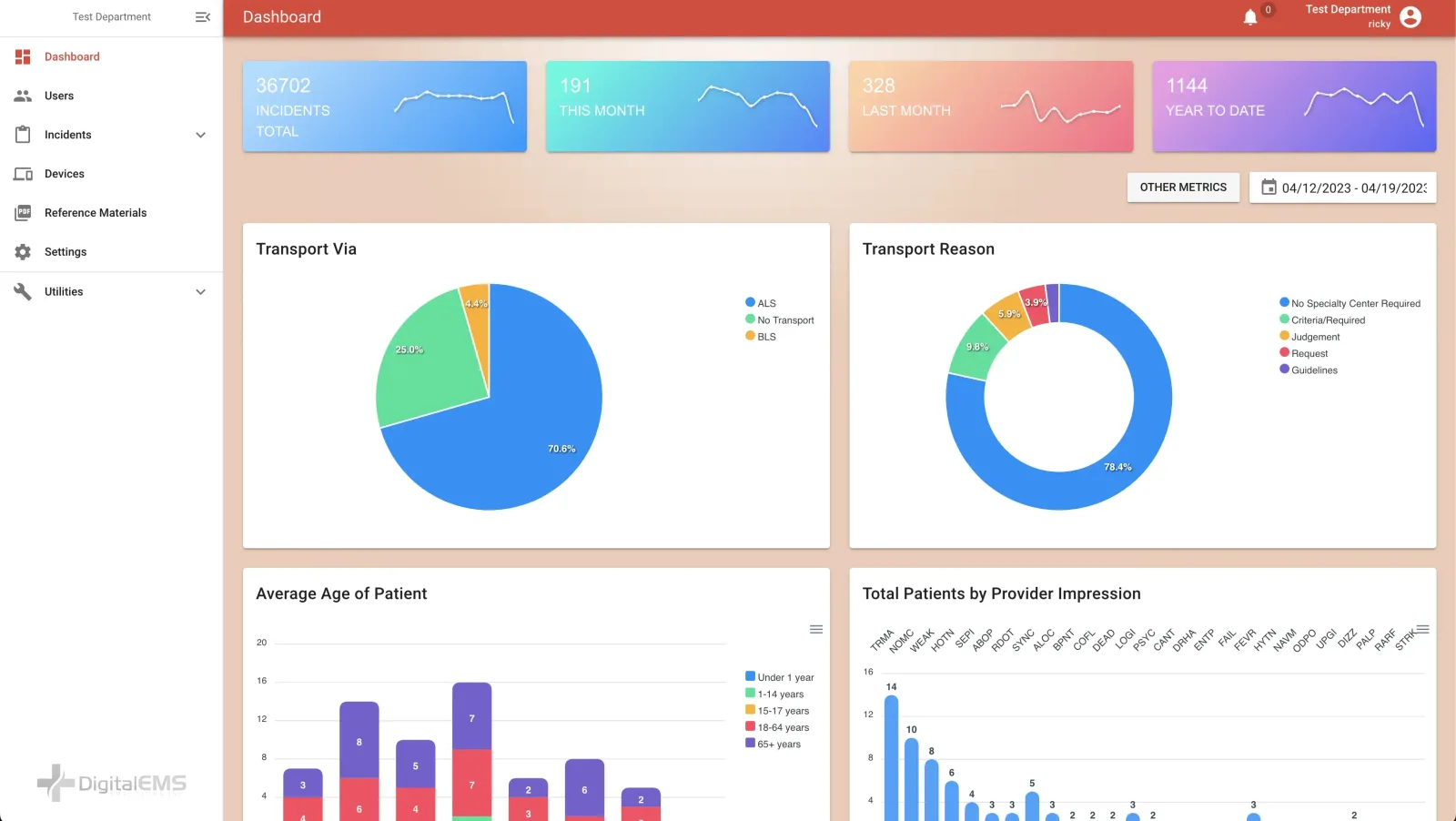
After that, Mobile Medic pulls your department's setup from the federal registry: stations, apparatus, and response areas, with map coordinates in the format NERIS expects. When an engine clears a call, the run already carries a recognized unit and location. Nobody has to keep a separate list of unit codes in sync by hand.
If your department is still working through what NERIS changes overall, start with our NERIS transition guide for fire departments.
How does it keep patient details out of NERIS?
NERIS is a fire and all-hazards incident system. It cares about what kind of call it was, which units went, when they got there, and what they did. It doesn't need the patient's name, date of birth, or history, and your ePCR shouldn't be handing those over.
Mobile Medic has a privacy setting built for exactly this. When a chart is completed, the system checks the call type. If the run falls into an eligible medical response category, your agency has NERIS turned on, and the run maps to your NERIS entity, the export builds a fire incident record with patient health information stripped out first.
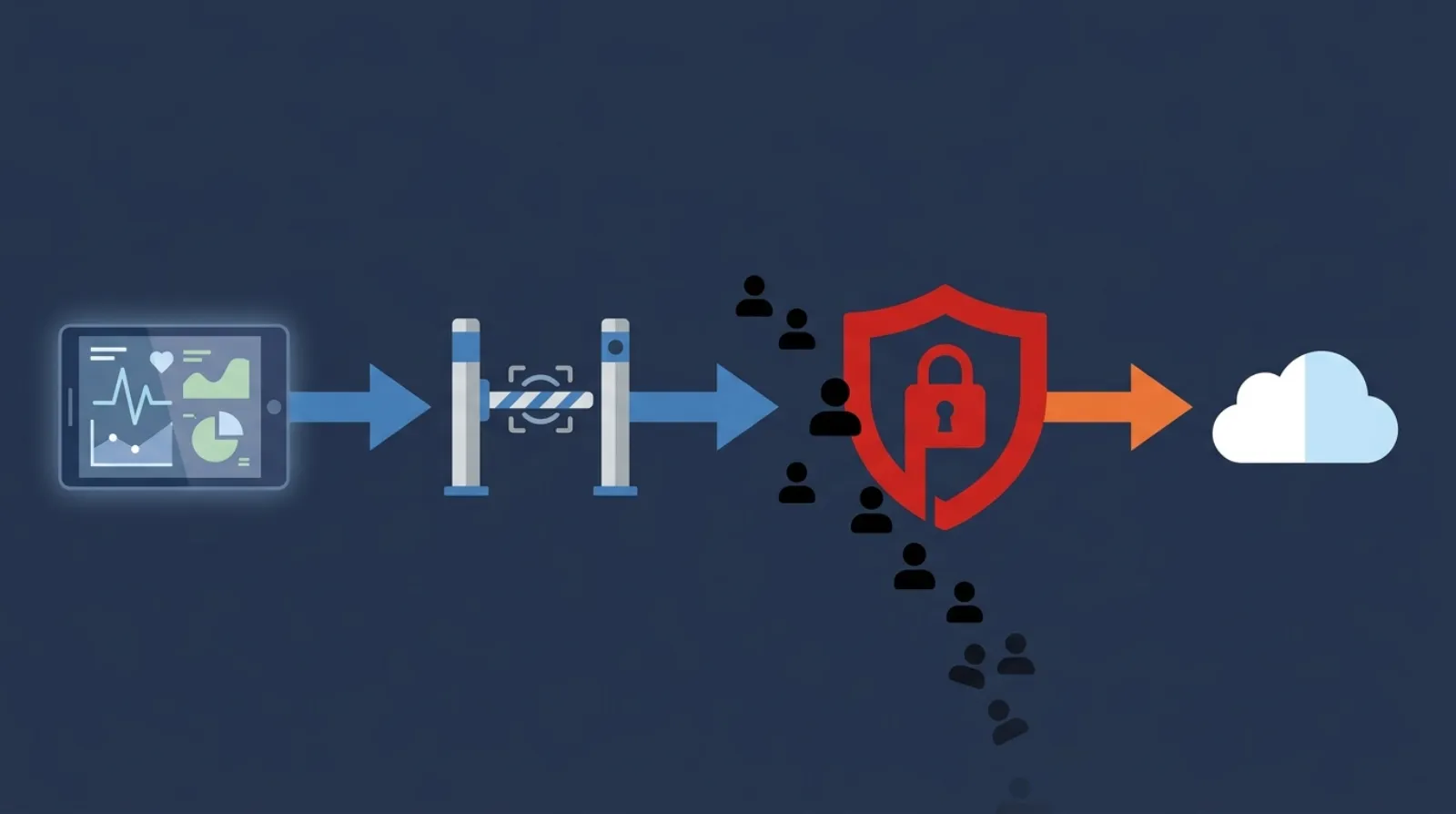
In practice, the patient's name and contact details aren't part of what gets sent, the clinical narrative stays in the chart, and the call type goes out at a general level, like illness or injury, instead of the specific complaint. The medic's primary impression is what gets mapped to a NERIS incident type, so the run is still counted correctly.
What does go out is the operational picture: unit response and arrival times, which apparatus and how many people responded, where the call was, and whether the patient was evaluated or transported. The patient record stays inside your ePCR.
One honest caveat. HIPAA has its own formal definition of de-identified data, and a fire incident record still carries an incident location and times. So treat this as keeping patient health information out of your fire reporting, and have your privacy officer sign off on how your department configures it.
What happened to NFIRS, and does it still matter?
NFIRS is done as the national system. The Texas State Fire Marshal's Office, for example, told departments that all NFIRS data, including 2025, was due before January 31, 2026, and that NFIRS itself would go away on February 22, 2026. New incidents now go to NERIS.
Mobile Medic still keeps its NFIRS 5.0 export tools alongside NERIS. That's useful if your agency was finishing old NFIRS records during the cutover, or if a state or local office still asks for NFIRS-format files for its own reporting. Check with your state fire marshal's office on what they want going forward.
How do chiefs know a run actually made it to NERIS?
Silent failures are the ones that hurt. If a run gets rejected and nobody notices, your department's numbers come up short and nobody finds out until someone asks why.
Mobile Medic shows administrators where each NERIS export stands, such as not started, incomplete, submitted or failed, and administrators can filter the list down to just the failures. When a send fails, the error message that came back is right there, so someone can fix the problem field and resend.
If the send hits a hiccup, the system tries again a few times on its own. If it still can't get through, the run shows up as failed in that list so someone in the office can follow up. Crews shouldn't have to babysit any of this.
How does NERIS auto-export compare to other options?
| What you're looking at | Manual double entry | Separate fire reporting tool linked to the ePCR | Mobile Medic auto-export |
|---|---|---|---|
| Officer work per medical run | Retype times, units, and incident details | Review and push the synced record | Nothing extra once the chart is finished |
| Risk of patient details landing in the fire report | Higher, from copy and paste | Depends on how the link is set up | Lower, because the privacy filter runs first |
| When the fire record is ready | Whenever someone gets to it | Depends on the sync schedule | Shortly after the chart is completed and synced |
| Systems to maintain | Two | Two, plus the link between them | One |
Retyping wastes officer time and invites mistakes. A link between two systems cuts some of the typing, but it's one more thing that can break when a format changes. Building the NERIS export into the ePCR itself removes the second step entirely.
What does this look like on a real overdose call?
Frequently asked questions
Does Mobile Medic auto-export non-medical fire incidents?
No. Mobile Medic is an ePCR built for medical runs. Structure fires, brush fires, and technical rescues still go through your fire reporting system. What Mobile Medic takes off your plate is the medical side, which is most of your call volume.
What happens when NERIS rejects a run?
The run shows up as failed for an administrator, along with the error message that came back. Someone fixes the field and sends it again. State NEMSIS exports work the same way, with failure alerts and bulk resubmission on top.
Do we need a Business Associate Agreement to report to NERIS?
That's a question for your privacy officer or legal counsel, not a blog post. The privacy setting is there to keep clinical details out of the NERIS record, but deciding what agreements your department needs is their call. Your agreement with Mobile Medic as your ePCR vendor is a separate matter.
Can we test NERIS before going live?
Talk with us about a dry run before you turn on live exports. It's worth running sample records and checking what comes through before the first real shift.
What if a crew finishes a chart with no signal?
Mobile Medic works fully offline on the iPad, so the chart saves locally in a basement or a dead zone. Once the iPad reconnects, the chart syncs and the NERIS export picks it up from there. Our post on offline-first ePCR architecture explains how that sync works, and the NEMSIS 3.5.1 field prep guide covers the state side of the same chart.
Where can you see it in action?
Combined fire-EMS departments shouldn't have to pick between keeping up with federal reporting and letting their officers sleep. If you want to see how NERIS export fits into your charting, talk to our team.
Sources
- U.S. Fire Administration: National Emergency Response Information System (NERIS) (external site)
- U.S. Fire Administration: Fire Department Overall Run Profile (2020), At a Glance (external site)
- Texas Department of Insurance, State Fire Marshal's Office: Introducing NERIS (external site)
- HHS: The HIPAA Privacy Rule (external site)
- eCFR: 45 CFR 164.514, Other requirements relating to uses and disclosures of protected health information (external site)