CAD Reconciliation Audit in ePCR: Catch Missing Charts
A CAD reconciliation audit in your ePCR compares dispatch logs to finished charts so missing, unfinished and mismatched runs get fixed before billing closes.

A CAD reconciliation audit in your ePCR lines up every call in the dispatch log against the charts your crews actually finished, then hands supervisors a list of what's missing, unfinished or mismatched. It catches the chart nobody closed before billing or the state data office comes asking. In Mobile Medic, that check runs on the admin side while crews keep pulling dispatch details into their charts on their own terms.
Why do charts go missing in the first place?
Nobody skips a chart on purpose. It happens on the busy shifts. You start a chart in the cab, the tones drop again before you're back in service, and that half-done report slides down the list. A couple of shifts later it's buried under newer runs and nobody's looking for it.
Usually it turns up when billing goes looking for a transport that has no report, or when a state submission comes up short. By then the crew is trying to remember a patient from a week ago, and the details just aren't as sharp as they were on scene.
That's the gap reconciliation closes. CAD already knows which units went on which calls. Comparing that list to the finished charts is a job for software, not for a supervisor with two spreadsheets open side by side.
How do crews get CAD data without losing their notes?
Dispatch records carry useful facts: the incident number, responding units, call type, scene address and cross streets, plus the dispatched, en route, on scene, transport, at hospital and clear times. Getting those onto the tablet saves a lot of typing.
The trouble starts when software pushes CAD updates straight into an open chart. If dispatch corrects an address halfway through a call, an automatic update can step on what the crew already entered. Lose your work once and you stop trusting the tool.
Medic Clipboard handles it differently. Crews pull CAD data into the chart on command, and nothing replaces clinical notes without the medic approving it. Dispatch details sit in a CAD drawer where the crew can look them over first.
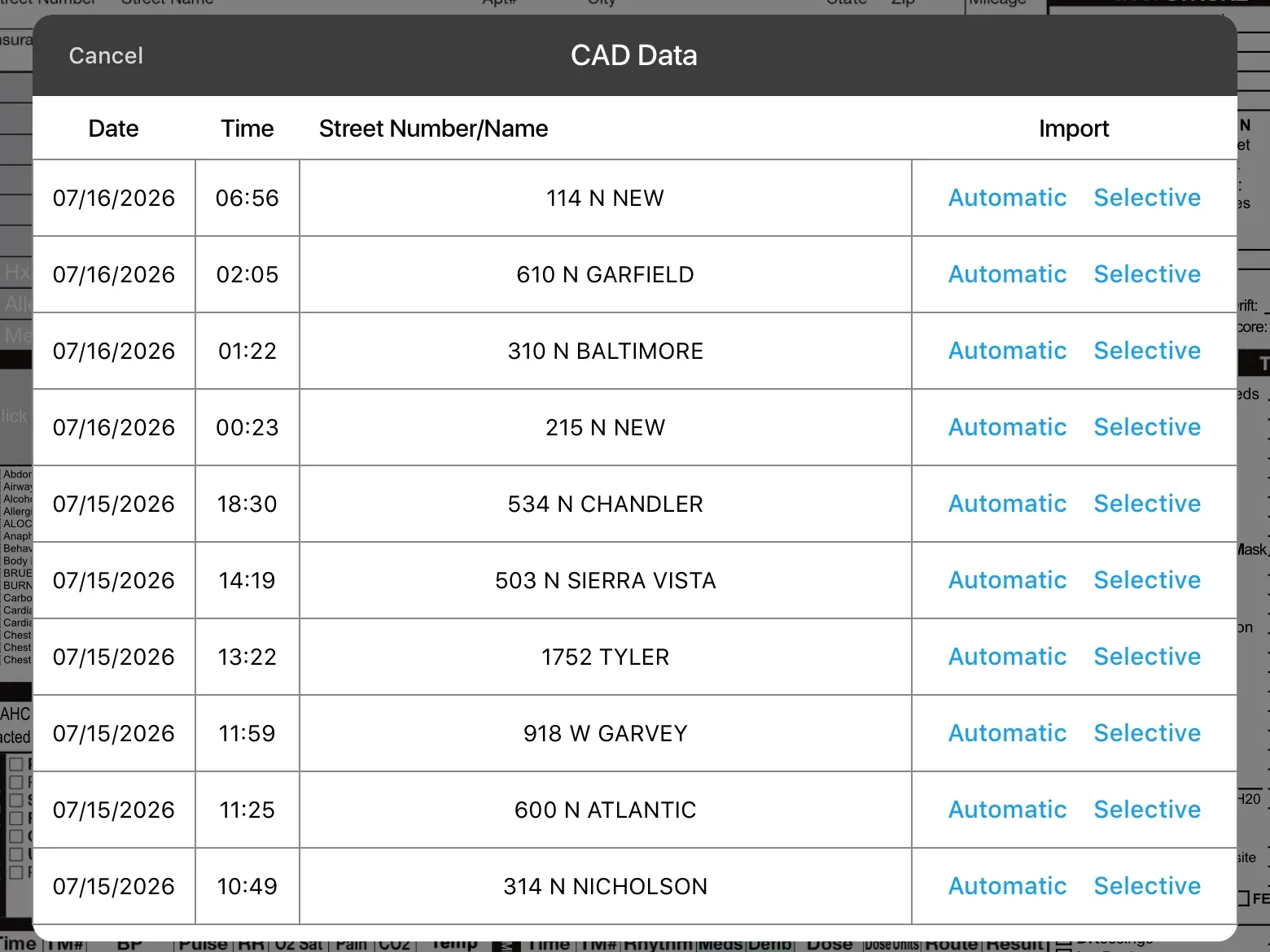
- Pick what comes in: Crews can take the whole dispatch record or choose field by field, so times, address or unit numbers come over only when they want them.
- Clinical work stays put: The CAD import is about dispatch facts. Vitals, meds and the narrative are the crew's to write.
- Times you can compare: With CAD times on the chart, it's easier to spot when they don't line up with the monitor clock. Our guide to CAD timestamp and monitor clock mismatches walks through why that happens.
It's a small design choice that matters a lot at 3 a.m. Crews get the speed of CAD without worrying about losing what they already charted.
What does a CAD reconciliation audit actually check?
Behind the scenes, the reconciliation tool in the administration platform compares dispatch call logs against completed ePCRs. It looks for the problems that tend to slip through on a busy shift:
- No chart at all: CAD shows a unit went on a call, but there's no ePCR for it.
- Chart started, never finished: A report exists but it's still sitting open as a draft.
- Wrong unit: Dispatch shows one unit responded, but the chart lists a different unit as primary.
- Duplicates: Two charts filed for what looks like the same patient, which happens when dispatch sends more than one rig.
- Delayed runs: Charts that are taking longer than they should to get completed.
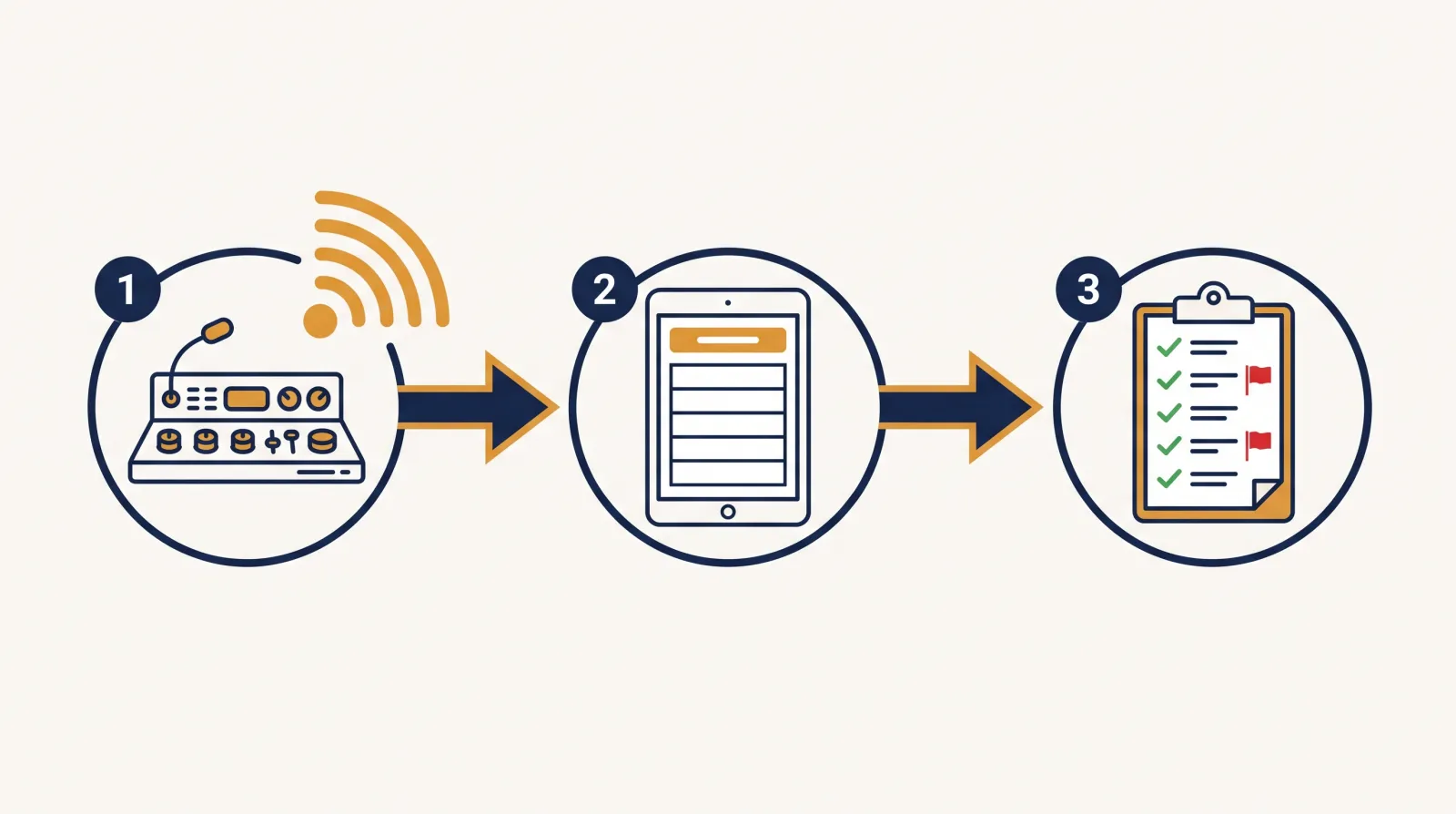
The result is a list supervisors can act on. They can filter and sort it by unit to see which crews still owe a report, pull it whenever they need it, or have it delivered on a schedule.
That list also feeds your quality program. Missing and late charts are the first thing a fair chart review needs to account for, and our piece on building fair QA/QI chart audits covers what to do next.
Which CAD systems can Mobile Medic connect to?
Dispatch centers run everything from modern cloud systems to older servers that live inside a county network. A charting platform has to meet them where they are. Mobile Medic can take in dispatch feeds a few different ways:
- Secure file transfer: The system picks up batch dispatch files from a secure file server.
- Direct web connection: Newer CAD systems can send each incident straight to Mobile Medic as it happens.
- Private network connection: For CAD servers that sit inside a city or county network, the link runs through a secure private tunnel.
- Older web services: Some legacy dispatch systems send calls in an older structured format, and that's supported too.
- API connection: CAD systems that offer an API (a standard way for two programs to exchange data) can connect to Mobile Medic directly, so calls come through without anyone handling files.
Whichever way the feed arrives, the system sorts each call into the same set of fields: incident number, unit assignments, times, scene address, cross streets and dispatch reason. Crews see the same layout on the iPad no matter which CAD vendor the county uses.
What happens when the CAD feed goes quiet?
A broken CAD link is easy to miss. If a county server drops overnight, crews just notice the drawer is empty and start typing times from the radio log or their notes. Nobody's charts are wrong yet, but the whole agency is slower and the reconciliation picture gets fuzzy.
Mobile Medic watches the connection on every configured CAD feed. If a feed goes silent or imports start failing, the system emails the people your agency names so someone can chase down the firewall rule or the stalled server before the next shift change. How long a feed can stay quiet before that email goes out is set for each feed.
Why does this matter to EMS leadership?
A transport without a finished chart is a claim billing can't send and a record the state never sees. Catching those gaps early helps keep billing moving and your NEMSIS submissions complete. If state reporting is on your plate, our NEMSIS 3.5.1 field prep guide is a good next read.
| What matters | Manual log review | Mobile Medic CAD reconciliation |
|---|---|---|
| Finding missing charts | Often weeks later, during month-end review | Automatic audit of dispatch logs against charts |
| Protecting crew entries | Crews type everything by hand | Crews pull CAD data on command |
| Getting runs to billing | Slow when gaps go unnoticed | Gaps get flagged so charts get finished sooner |
| Knowing a feed is down | Someone notices and complains | Feed monitoring sends alerts |
| Working with different CAD systems | Manual typing | File transfer, web, API, private network, older web services |
Supervisors spend less time hunting for loose ends, and billing gets records with the dispatch side already checked. Setting up the CAD connection is part of onboarding, and you can see how that fits into the cost picture in our post on per-tag ePCR pricing.
Frequently asked questions
How does the audit handle cancelled calls and dry runs?
That depends on your agency's documentation rules. If your state or medical director requires a report on cancelled calls, you'll want those flagged when the chart is missing. If not, they shouldn't clutter the list. Dispatch centers code these calls in different ways, so talk with us during setup about how yours marks them and what you want the report to show.
Can a crew tie more than one CAD incident to one patient?
Multi-vehicle crashes and similar calls often end up with more than one incident number. Each chart pulls from one CAD incident, so if a call picked up a second number, note it in the narrative where reviewers will see it. Duplicate run detection already flags possible double charts when several rigs go to one patient.
What if CAD times don't match the monitor clock?
Both times have value. CAD times come from dispatch, and monitor data carries the device's own time stamps. When they don't agree, say in the chart which clock you went by, so reviewers know which one they're looking at.
Can supervisors get reconciliation reports on a schedule?
Yes. Reconciliation summaries can go out by email twice a month, or by secure file transfer on a daily, weekly or monthly schedule. Reports come as spreadsheet files, and supervisors can also pull one on demand.
Does it work with a dispatch center that serves several agencies?
Many county dispatch centers handle calls for several fire and EMS agencies at once. Each call in the feed is tied to an agency, so your department sees and reconciles its own calls. Agencies that work closely together can agree to share dispatch data with each other.
Want to see how CAD import and reconciliation would work with your dispatch center? Talk with our team and we'll walk through your setup.